Technology-Integrated Office Furniture Setup for Modern Businesses
Modern businesses use technology-integrated office furniture to keep teams connected, workspaces organized, and devices easier to use throughout the day. When desks, meeting tables, and shared workstations are not designed for power, cables, and screens, clutter builds fast, productivity slips, and even a clean office can start feeling chaotic. The fix is not just buying newer furniture. It is choosing office furniture that supports how people actually work, then installing it correctly so power access, cable routing, device placement, and team flow all work together from day one.
What Is Technology Integrated Office Furniture Setup
Technology-integrated office furniture setup is the process of furnishing a workspace with desks, workstations, tables, and storage designed to support power access, cable control, screens, charging, and connected devices in a practical way.
In simple terms, it means office furniture is doing more than holding a laptop and chair. It is helping employees plug in easily, manage wires cleanly, use monitors comfortably, and move between individual work and team collaboration without fighting the setup.
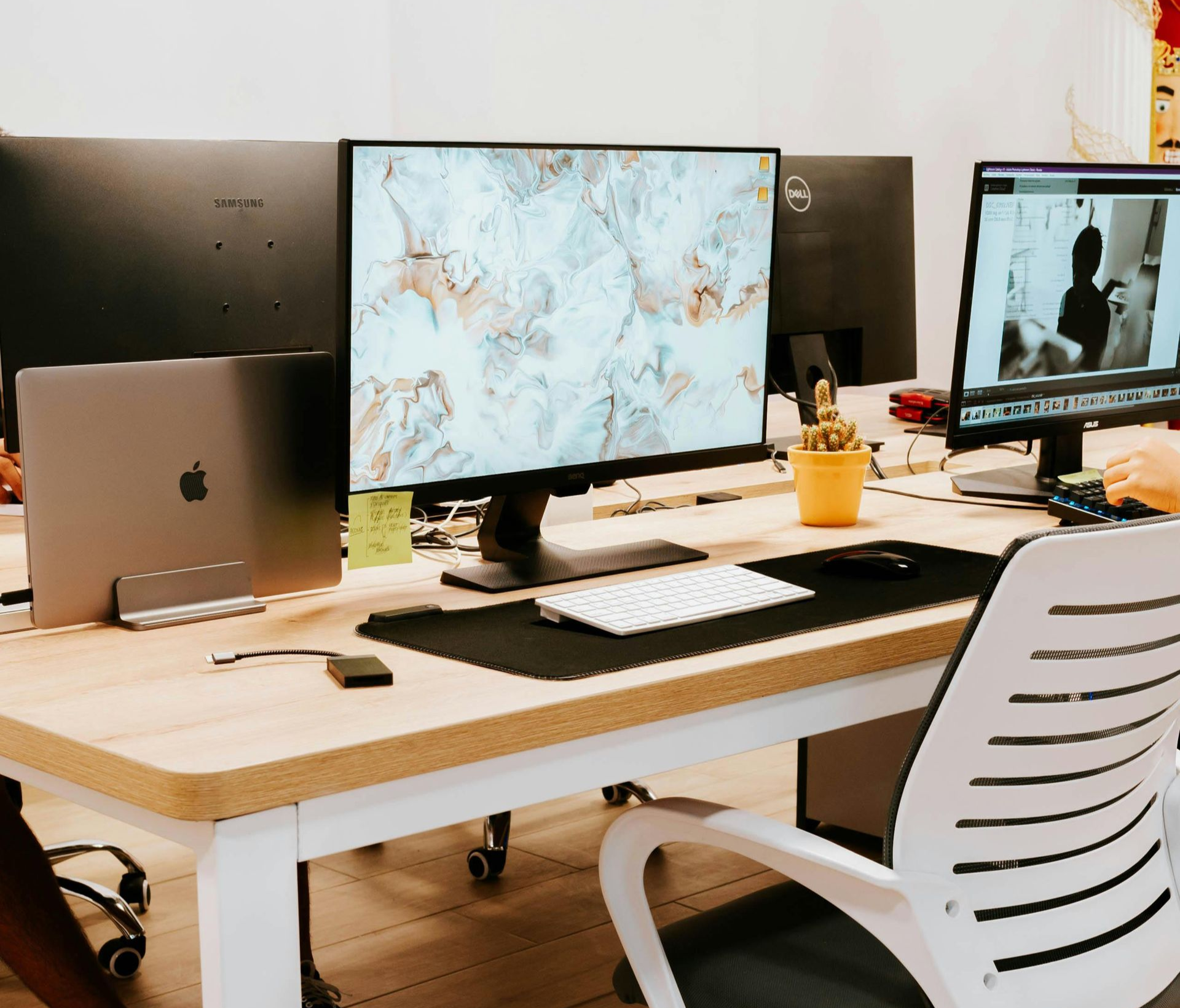
This often includes desks with built-in power modules, conference tables with charging ports, workstation panels that hide wiring, and layouts designed around device use. As a result, the office feels cleaner, works better, and supports fewer daily interruptions. Businesses that invest in smart setup early usually avoid the mess of extension cords, overloaded power strips, and improvised cable fixes later.
For companies upgrading team areas, adding new departments, or refreshing current spaces, professional office furniture assembly helps make sure these integrated systems are installed safely and function the way they should.
How Do Modern Offices Use Furniture to Support Technology
Modern offices use furniture to support technology by building device access, charging, screen placement, and cable routing directly into the workspace. That makes daily tasks smoother and reduces the friction that slows teams down.
Instead of treating power and technology as afterthoughts, many businesses now plan workspaces around them. Desks are selected based on monitor use, cable channels, and charging access. Shared tables are chosen for collaboration, laptop use, and video calls. Storage pieces are positioned so routers, docks, printers, and equipment stay accessible without making the office look like a server closet in disguise.
This approach matters because office performance is shaped by small daily details. When employees can sit comfortably, connect devices quickly, and avoid cable tangles, they spend more time working and less time adjusting the setup. That is one reason strong workstation setup tips to reduce employee fatigue and boost productivity remain so relevant for growing teams.
Furniture choices also affect the overall business environment. For example, task seating, desk depth, and monitor positioning all influence comfort and efficiency. Businesses comparing options can see how seating variety fits different work styles through practical office chair solutions for workstations, while flexible desk-and-chair combinations can help companies plan furnished team zones more effectively through modern workspace desks and chairs ideas.
Which Workstations Work Best for Connected Teams
The best workstations for connected teams are modular systems that support power access, monitor setups, cable management, and easy reconfiguration as teams grow or shift. They give businesses structure without locking them into a rigid layout.
Connected teams usually need more than a row of desks. They need furniture that supports focused work, fast device setup, and quick collaboration between nearby coworkers. That is why benching systems, modular desks, panel-based workstations, and shared touchdown stations are common choices for modern offices.
The strongest options usually include:
- Built-in power or easy access to power modules
- Cable pathways that keep wires off the floor and out of sight
- Space for dual monitors, laptop docks, and shared accessories
- Configurations that can expand, shrink, or shift with team changes
For businesses that expect hiring, reshuffling, or department moves, modular office furniture assembly by professional installers is often the smarter long-term move. It also pairs naturally with broader guidance on modular furniture installation for cubicles and connected work areas, especially when scalability matters.
During office upgrades or phased changes, companies also benefit from planning for device protection and transition logistics. That includes understanding how to safely move electronics and computer equipment so monitors, docking stations, and shared gear are not damaged during reconfiguration.
Can Built In Power and Cable Management Improve Productivity
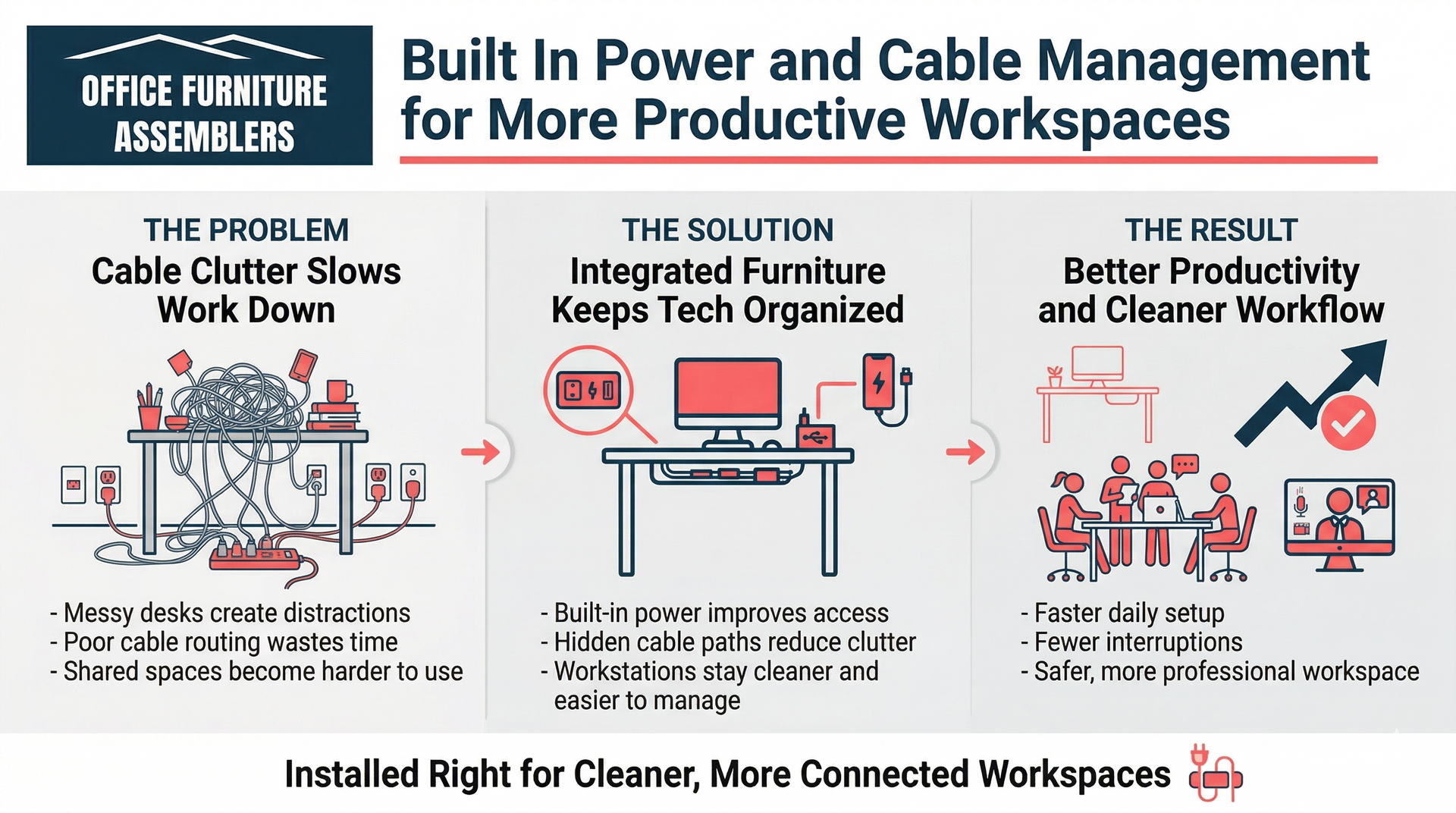
Built-in power and cable management can improve productivity because they reduce interruptions, support faster device use, and create a cleaner work area that is easier to maintain. Less clutter usually means less friction.
When employees have to search for outlets, run chargers across walkways, or work around messy bundles of wires, the office becomes harder to use. Those little frustrations stack up. In contrast, furniture with power access and planned cable routing keeps devices charged, desks cleaner, and shared spaces more functional.
The biggest productivity gains usually come from:
- Faster setup at the start of the day or meeting
- Fewer tripping hazards and cable-related distractions
- Cleaner desks that make focused work easier
- Better access to devices without visual clutter
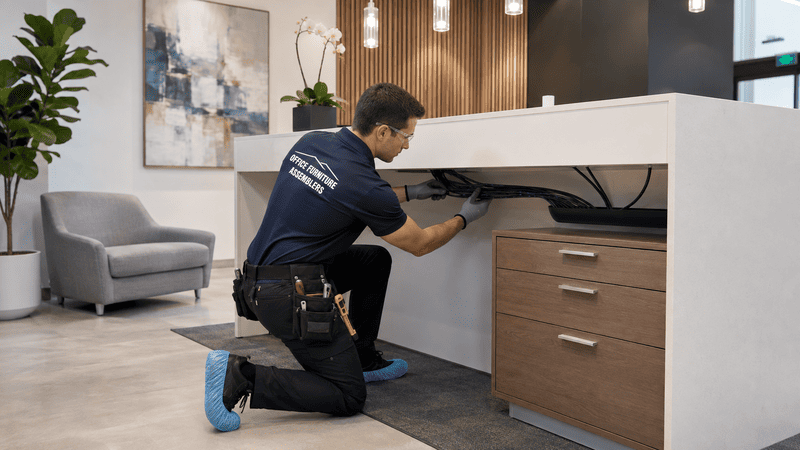
Cable management is not just about appearance. It supports maintenance too. IT teams can identify connections faster, cleaners can work around furniture more easily, and managers can keep shared spaces looking professional for staff and visitors. For companies reviewing business-ready installation support, this is also where professional office furniture assembly for home and business environments becomes relevant, especially when multiple workstation types need to work together cleanly.
How Should Meeting Spaces Be Furnished for Better Tech Use
Meeting spaces should be furnished with tables, seating, and layouts that make screen sharing, charging, video calls, and device access easy for everyone in the room. Good meeting furniture supports the technology instead of getting in its way.
A meeting room works best when people can walk in, connect fast, see the screen clearly, and participate without hunting for outlets or shifting chairs around awkwardly. That means table size, cable access, chair placement, and display positioning all matter. Even a well-designed room can underperform if cords run across the table or power is only available near one wall.
Businesses should think through a few basics before buying or installing meeting room furniture:
- Where laptops and charging cords will be used
- Whether the room is mainly for in-person meetings, hybrid calls, or both
- How the display, camera, and speaker setup will interact with the table layout
- Whether the furniture leaves enough circulation space for easy movement
Leadership spaces and client-facing rooms also benefit from better layout flow. Strategic planning around executive office layout and workspace flow can help businesses create rooms that feel both functional and polished. For companies with wellness areas or flexible break zones, broader workspace planning can even connect to ideas like fitness at the workplace and mixed-use office design, where furniture choices support more than desk work alone.
Office Setup Mistakes That Create Cable Clutter and Inefficiency
The most common office setup mistakes are choosing furniture without power planning, placing desks before device needs are mapped, and ignoring how cables will move through the workspace. Those mistakes create clutter fast and make even new offices feel disorganized.
A lot of cable chaos starts before installation day. Businesses may choose attractive furniture, then realize there is no place for chargers, docking stations, or shared monitors. In other cases, teams reuse older desks that were never meant for modern equipment loads. That forces workarounds, and workarounds are where clutter usually wins.
Another problem is failing to plan for reconfiguration. If a business expects to move teams, swap layouts, or reuse existing furniture, it needs to think ahead about what stays, what changes, and what should be taken apart first. In those cases, guidance on furniture disassembly for moving and reconfiguration can help businesses avoid damage and downtime.
Office relocations add another layer. During a move or renovation, technology and furniture need to be coordinated together, not handled as separate tracks. That is why businesses often benefit from practical planning around what to expect when moving offices and how to prepare, especially when integrated furniture systems must be reinstalled correctly afterward.

Planning Smarter Layouts for Tech Ready Workspaces
Smarter layouts for tech-ready workspaces are planned around how teams move, connect devices, collaborate, and grow over time. The right layout reduces bottlenecks, keeps power access practical, and supports both individual focus and group work.
A strong plan starts with real workflow, not just floor plan aesthetics. Who needs dual monitors? Which departments collaborate often? Where do shared devices live? How many people join video calls each day? Once those questions are answered, businesses can make better layout decisions that match actual use.
Practical layout planning often includes:
- Separating quiet focus zones from collaborative team areas
- Keeping power access close to primary work surfaces
- Leaving room for cable paths, monitor arms, and shared equipment
- Planning future expansion before the office is fully packed
Businesses looking at long-term strategy should also pay attention to modern office design trends and furniture installation strategies for 2026, especially if they want a workspace that still makes sense after the next round of growth. Organized environments tend to function better as a whole, and even broader federal guidance around efficient office standards and workspace function supports the idea that planned environments help operations run more effectively.
Why Professional Installation Matters for Integrated Office Furniture
Professional installation matters for integrated office furniture because modern systems involve more than basic assembly. They require accurate placement, safe setup, clean alignment, and practical coordination with power, devices, and room flow.
That is the part many businesses underestimate. Technology-integrated furniture often includes shared power access, cable channels, panel systems, monitor support, and modular pieces that must line up correctly the first time. A rushed or uneven install can leave desks unstable, cables exposed, and workstations harder to use.
Professional installers help businesses avoid those issues while saving internal teams from a time-consuming project that can drag on for days. They also spot setup problems earlier, whether that means a table is too large for the room, a workstation row needs better spacing, or a meeting area needs power access adjusted before everything is locked in place.
For modern businesses, the value is not just assembly. It is a smoother rollout, fewer mistakes, and a workspace that actually supports how people work.
Build a More Connected and Productive Office Environment
If your business is planning new workstations, upgrading meeting spaces, managing an office renovation, or preparing for a move, Office Furniture Assemblers can help create a cleaner, more connected setup that works from day one. Businesses across Maryland, Washington DC, Delaware, Pennsylvania, and Northern Virginia trust experienced installation support when cable control, power access, layout efficiency, and team productivity all need to come together properly.
Whether you are redesigning desk clusters for connected teams or improving conference rooms for better tech use, the smartest next step is to request professional setup support through the main office furniture installation form. If you would rather start the conversation directly, you can also reach out through the contact page section to discuss your office goals, timeline, and workspace needs.
For businesses handling broader project pressure, some companies also need urgent specialty support beyond office furniture, including time-sensitive emergency installation help. The point is simple: when your workspace has to function well, look clean, and support real business operations, hiring Office Furniture Assemblers is the safer move.
Key Takeaways
- Technology-integrated office furniture is different from standard office furniture because it is planned around device use, charging access, cable routing, and real daily workflow.
- Workstation design directly affects productivity when teams need clean power access, monitor support, ergonomic comfort, and space that does not fight their equipment.
- Meeting spaces function better when tables, seating, and display positioning are chosen to support charging, video calls, and easy collaboration instead of just filling the room.
- Smarter layout planning helps connected teams work more efficiently because it accounts for movement, future growth, shared technology, and cleaner cable control from the start.
- Professional installation is often the safer choice for modern office projects because integrated systems need accurate setup, better coordination, and fewer costly mistakes.
FREQUENTLY ASKED QUESTIONS
What does technology-integrated office furniture mean?
Technology-integrated office furniture is furniture designed to support devices, charging, cable routing, and screen use as part of the setup. It usually includes desks, tables, or workstations that make power and equipment access easier and cleaner.
Are built-in power modules worth it for offices?
Yes, built-in power modules are worth it for many offices because they reduce outlet hunting, support cleaner desks, and make shared spaces easier to use. They are especially helpful in conference rooms, benching systems, and team workstations.
Does cable management really affect productivity?
Yes, cable management affects productivity because clutter slows people down and creates distractions. Cleaner cable routing also improves safety, maintenance, and the overall professional appearance of the office.
What furniture works best for hybrid or connected teams?
Modular workstations, benching systems, and reconfigurable desks usually work best for hybrid or connected teams. They make it easier to support changing headcounts, shared equipment, and different work styles.
Can integrated furniture improve meeting room performance?
Yes, integrated furniture can improve meeting room performance by making charging, screen sharing, and device placement more practical. Better furniture planning also helps hybrid meetings feel less awkward and more efficient.
How long does professional installation usually take?
Professional installation time depends on office size, furniture type, and how much reconfiguration is involved. Smaller projects may take a day, while larger integrated office setups can take several days or be phased in stages.
Can existing office furniture be reused or reconfigured?
Yes, existing office furniture can often be reused or reconfigured if it is still structurally sound and compatible with the new layout. Businesses usually need to evaluate what should stay, what should be modified, and what no longer supports current technology needs.
When should a business hire professionals instead of doing setup in-house?
A business should hire professionals when the project includes multiple workstations, integrated power access, meeting room systems, modular furniture, or tight timelines. Professional help is also the better call when teams cannot afford mistakes, downtime, or a messy final result.