Office Workstation Setup Tips to Reduce Employee Fatigue and Boost Productivity
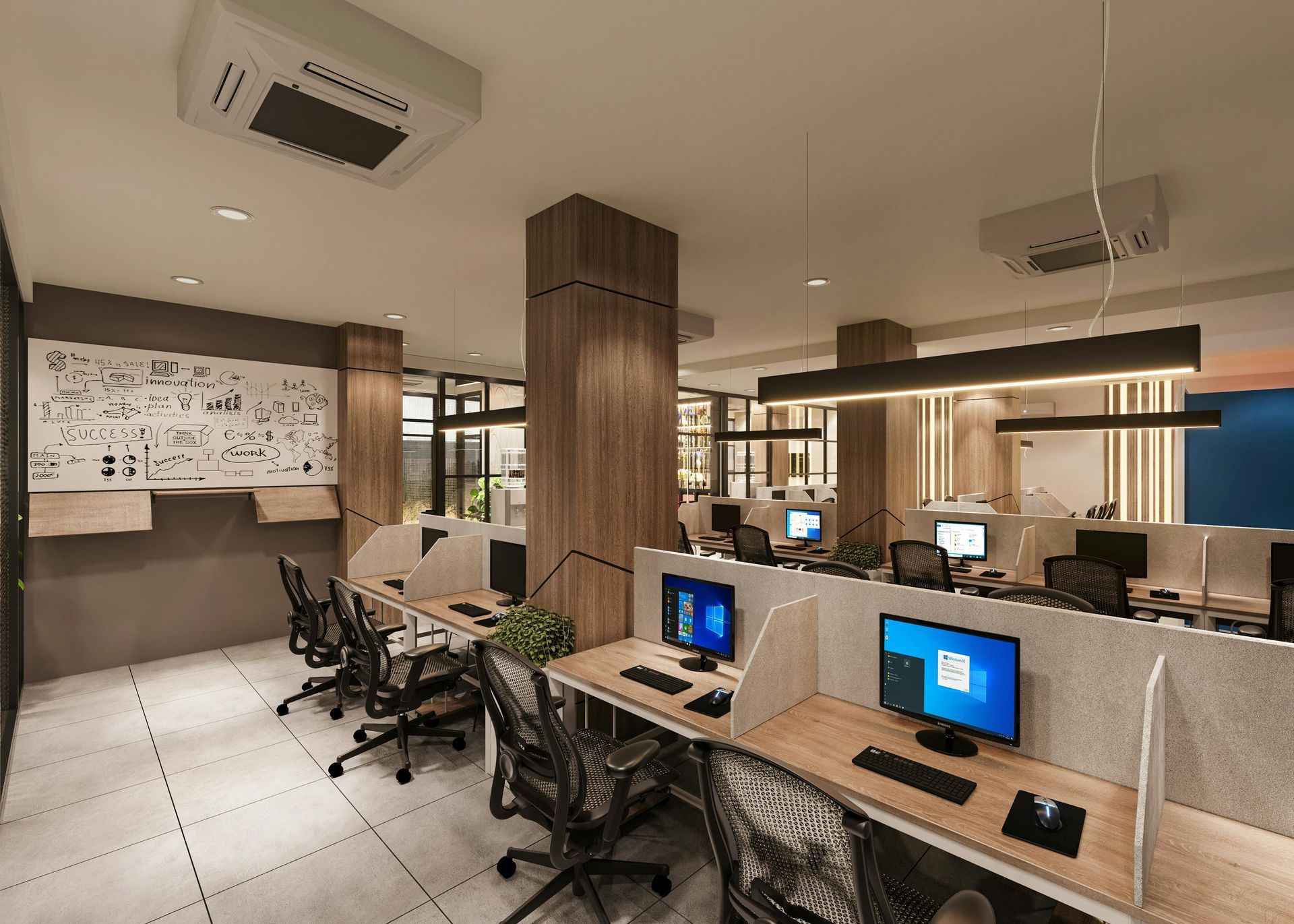
A better office workstation setup reduces employee fatigue by improving posture, minimizing strain, and helping people stay comfortable through the full workday. When desks, chairs, monitors, and accessories are arranged poorly, even capable teams lose focus, slow down, and finish the day more drained than they should. The good news is that most problems can be fixed with smarter positioning, better support, and the right furniture plan. With thoughtful ergonomic workstation setup and professional help when needed, businesses can create office spaces that feel better, work better, and support stronger daily performance.
Reducing Employee Fatigue Through Better Workstation Setup
Reducing employee fatigue starts with setting up each workstation so the body can stay in a neutral, supported position throughout the day. A good layout keeps the chair, desk, monitor, keyboard, and mouse working together so employees do not spend hours compensating for a poor setup.
Fatigue does not usually come from one dramatic mistake. It builds from repeated small issues like a screen that sits too low, a chair that does not support the lower back, or a mouse placed too far away. Over time, those problems chip away at focus, comfort, and output.
A workstation is the physical arrangement of furniture and equipment used to perform daily tasks. When it is set up correctly, it supports posture, reduces strain, and helps employees work more efficiently.
A productive office workstation layout usually includes:
- A desk that fits the employee’s tasks and equipment
- A chair that supports the back and allows stable sitting
- A monitor placed directly in front of the user
- A keyboard and mouse within easy reach
- Enough space for leg movement, storage, and everyday workflow
When a business is planning new layouts or deciding between desk types, reviewing workstation desk options for home or office can help match the furniture to the way people actually work.
Best Desk and Monitor Height for Daily Comfort
The best desk and monitor height supports natural posture by keeping the arms near a comfortable angle and placing the screen at or slightly below eye level. This reduces the need to hunch forward, raise the shoulders, or constantly look up and down.
Desk height affects more than comfort. It influences how the shoulders rest, how the wrists move, and how long an employee can work without feeling tension. Monitor height matters just as much. If the screen is too low, people lean forward. If it is too high, the neck stays extended for hours. Neither one wins any awards.
In most offices, the goal is to create a viewing distance that feels natural while keeping the employee upright and relaxed. Many workstation system layouts show how thoughtful office design supports both posture and workflow when furniture and equipment are planned together.
If your team is budgeting for a reconfiguration, expansion, or refresh, it also helps to understand office furniture installation costs before making changes. That keeps ergonomic improvements grounded in real operations planning, not wishful thinking and crossed fingers.
Keyboard and Mouse Placement That Supports Productivity
Keyboard and mouse placement supports productivity when both devices are positioned close to the body, aligned with the monitor, and easy to use without awkward reaching. Proper placement helps reduce wrist tension, shoulder strain, and the little posture shifts that quietly wear employees down.
This part gets ignored all the time. Companies will spend serious money on desks and seating, then let the mouse live off to the side like it pays separate rent. That creates avoidable strain and makes routine computer work less efficient.
A solid setup keeps the keyboard centered with the screen and places the mouse close enough that the elbow can stay near the torso. That helps the upper body remain relaxed and makes repetitive tasks feel less taxing.
For offices looking to improve consistency and avoid setup errors, professional office furniture assembly services can help create stable, functional workstations that support daily use. Teams using scalable layouts may also benefit from modular office furniture assembly, especially when departments need flexible workstation arrangements that still meet ergonomic standards.
Workstation Mistakes That Cause Strain and Slowdowns
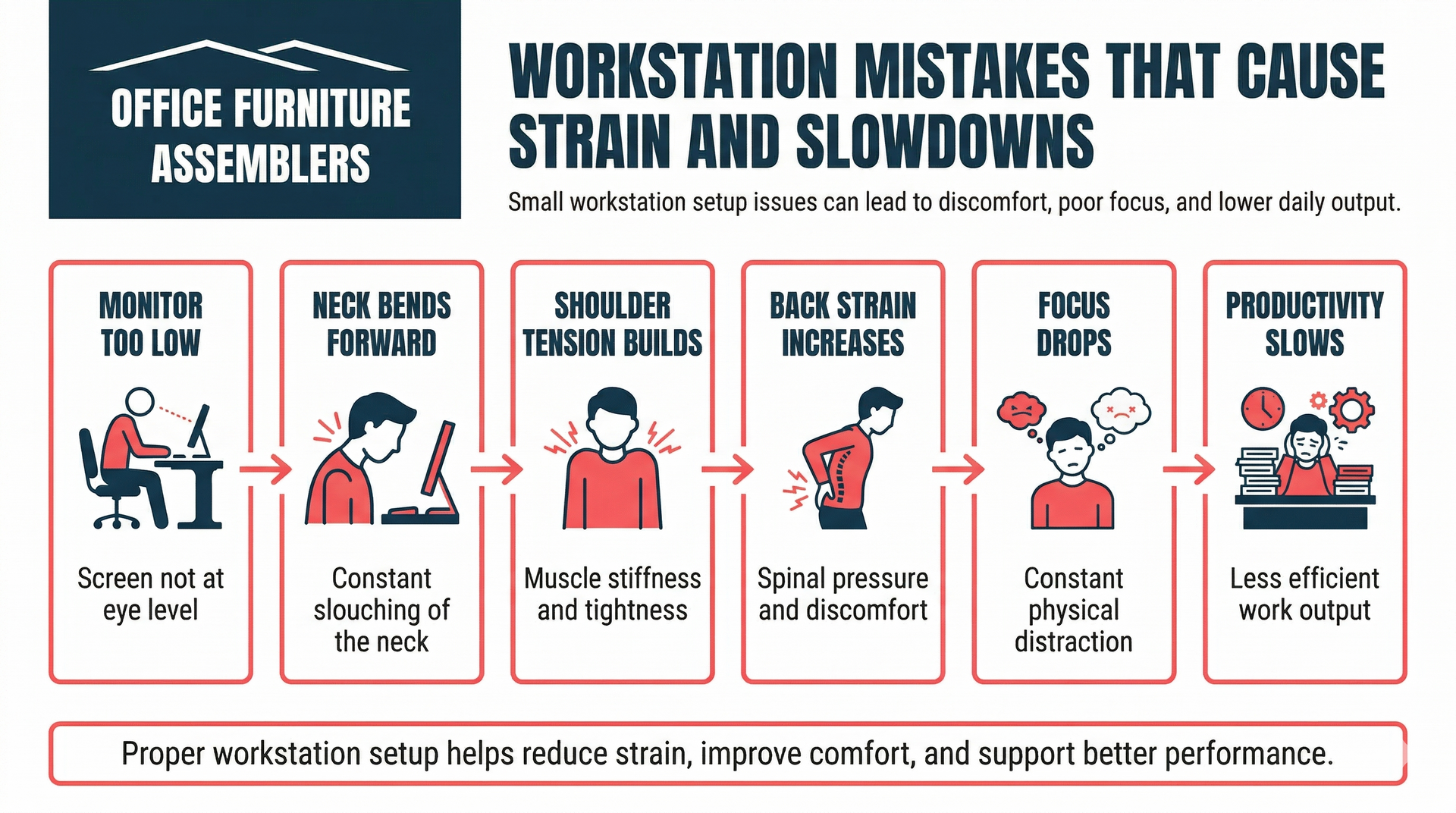
The biggest workstation mistakes are poor chair adjustment, bad monitor placement, desks that force awkward arm positions, and cluttered layouts that limit movement. These issues increase physical strain and make it harder for employees to stay comfortable, focused, and productive.
The trouble is that many of these mistakes look normal because people get used to them. A slightly twisted monitor, a chair that sits too low, or a keyboard placed too high can seem minor until employees start dealing with neck pain, back strain, and slower work.
Common workstation mistakes include:
- Monitors placed off-center or too low
- Chairs without proper lumbar support
- Keyboard and mouse placement that forces reaching
- Desk surfaces crowded with unnecessary equipment
- Storage positioned in ways that cause repeated twisting
- Layouts designed around furniture fit instead of work tasks
When offices need to rework existing layouts, office furniture disassembly is often part of the process before installing a better arrangement. And if the changes are tied to a move or department reshuffle, reviewing how to prepare for an office move can help prevent the next setup from repeating the same problems.
Do Ergonomic Upgrades Improve Office Productivity?
Ergonomic upgrades can improve office productivity because they reduce physical strain, support better focus, and make routine work easier to sustain over the day. When employees are more comfortable, they spend less energy dealing with discomfort and more energy getting work done.
Not every upgrade has to be expensive or dramatic. In some offices, a better chair adjustment, monitor arm, or keyboard tray creates immediate improvement. In other cases, the real gain comes from replacing mismatched furniture with a setup designed for shared work, privacy, or task-specific needs.
Ergonomic upgrades often help with:
- Better concentration during screen-based work
- Fewer daily posture-related complaints
- Smoother collaboration in shared spaces
- Better use of limited floor space
- Stronger workstation consistency across teams
For smaller offices or tight floor plans, space-saving office furniture ideas can support comfort and function without overwhelming the room.
How Lighting, Screen Position, and Chair Support Work Together
Lighting, screen position, and chair support work together by reducing glare, keeping the head and spine aligned, and helping employees maintain steady focus without unnecessary strain. When one of these elements is off, the body usually compensates somewhere else.
That is why ergonomic setup should never focus on one item alone. A quality chair will not fix glare from overhead lighting. A well-placed screen will not solve poor back support. And better lighting will not help much if the employee is still leaning forward like they are interrogating the monitor.
This matters even more during office reconfiguration, when screens, cables, and devices are being moved around. Businesses handling monitors and tech resets should also consider best practices for moving electronics and computer equipment safely so the equipment survives the transition and the new layout performs as intended.
In shared work environments, office cubicle installation also affects how light, screen angle, and privacy work together. A good cubicle or benching setup should support concentration without creating visual strain or limiting adjustability.
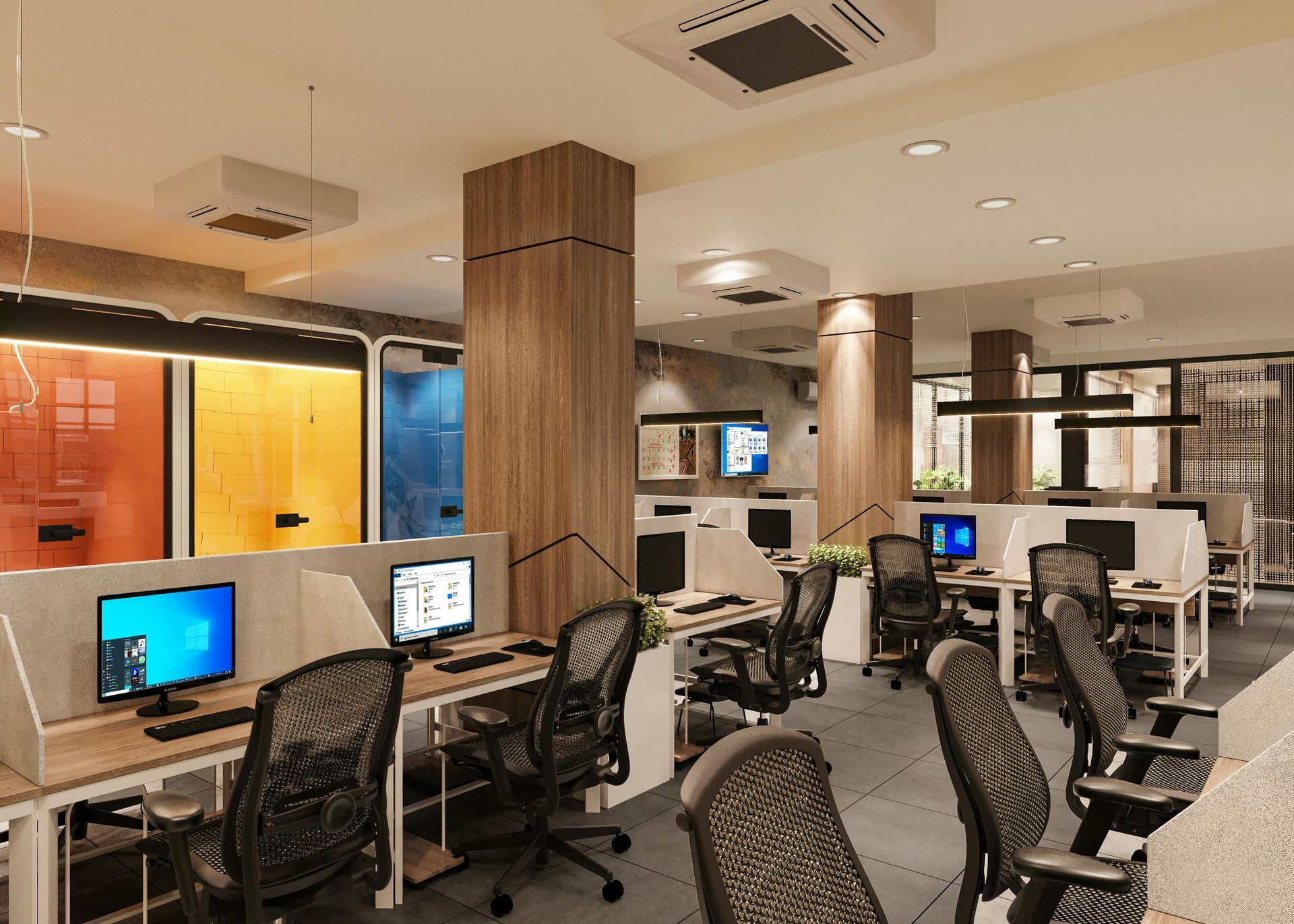
Workstation Setup Strategies for Team Comfort and Efficiency
The best workstation setup strategies combine ergonomic planning, consistent installation, and layouts built around how teams actually work. Offices become more comfortable and efficient when furniture supports daily tasks, movement, collaboration, and focus instead of simply filling floor space.
That means looking past the desk by itself. A strong commercial workstation setup considers traffic flow, cable control, screen privacy, storage access, and how employees switch between solo tasks and team communication. One good desk in a bad layout still creates problems.
For companies that need broader support during reconfiguration or growth, office furniture setup services can help align desks, storage, seating, and layout decisions into one workable system. That kind of planning is often the difference between an office that looks fine and one that actually performs well.
Simple Changes That Improve Comfort Without Replacing Furniture
Simple workstation changes can improve comfort by fixing alignment, reducing awkward reach, and supporting better posture without requiring a full furniture replacement. In many offices, the fastest improvements come from adjustment, not from buying all new furniture.
Start with the basics. Raise or lower the chair, center the monitor, move the mouse closer, clear out clutter, and adjust lighting angles. Those changes sound small, but together they can make the workstation feel far less tiring by the end of the day.
Useful low-disruption improvements include:
- Adjusting chair height so feet rest flat
- Aligning the monitor with the center of the body
- Moving the keyboard and mouse into a neutral reach zone
- Improving the position of lamps or overhead lighting
- Reorganizing desk items to reduce repeated twisting
- Resetting layouts after staffing or equipment changes
Even so, small fixes still need to be done correctly. A rushed adjustment can miss the actual issue or create a new one. That is why many offices bring in help for office furniture assembly and workstation corrections that improve comfort without disrupting the whole operation.
Need Help Setting Up Office Workstations the Right Way
If your office is dealing with uncomfortable desks, uneven workstation layouts, or furniture that no longer supports how your team works, Office Furniture Assemblers can help. Their team works with businesses across Maryland, Washington DC, Delaware, Pennsylvania, and Northern Virginia, including offices in Baltimore, Rockville, Bethesda, Arlington, Alexandria, Wilmington, and Harrisburg.
Whether you are planning a new workstation rollout, improving employee workstation comfort in an existing office, or reworking layouts during growth, professional setup saves time and reduces mistakes. You can contact Office Furniture Assemblers to create a smarter setup that supports comfort, workflow, and daily productivity. And if your business ever needs fast specialty support outside standard office projects, services such as urgent assembly help show the value of working with experienced crews that know how to handle time-sensitive setup work.
Key Takeaways
- Better office workstation setup reduces fatigue by improving posture, support, and reach.
- Desk height, monitor position, keyboard placement, and chair adjustment all affect comfort and productivity.
- Common workstation mistakes lead to neck strain, back pain, and slower employee performance.
- Small layout and equipment changes can improve comfort without replacing all office furniture.
- Professional setup helps businesses create more efficient, consistent, and employee-friendly workstations.
- Office Furniture Assemblers is a strong choice for workstation setup and office furniture support across Maryland, Washington DC, Delaware, Pennsylvania, and Northern Virginia.
FREQUENTLY ASKED QUESTIONS
How long does office workstation setup usually take?
Office workstation setup time depends on the number of desks, the furniture type, and the overall office layout. A small office may be completed in a day, while larger commercial projects often need phased scheduling.
Can existing office furniture be adjusted instead of replaced?
Yes, many offices can improve comfort by adjusting existing furniture instead of replacing it. Changes to chair height, monitor placement, and keyboard position often deliver strong results without a full redesign.
Do monitor arms improve ergonomics in office workstations?
Yes, monitor arms often improve ergonomics because they make it easier to position screens at the right height and distance. They are especially useful in shared workspaces where employees need flexibility.
What causes arm and wrist fatigue at office desks?
Arm and wrist fatigue usually comes from poor keyboard and mouse placement, desks that sit too high, or repeated reaching during computer work. Hard desk edges and unsupported forearms can also add strain.
Do cubicles and open-plan desks need different setup approaches?
Yes, cubicles and open-plan workstations often need different setup decisions because privacy, lighting, screen angles, and spacing are not the same. The best setup depends on how the team uses the space each day.
How often should office workstations be reviewed or adjusted?
Workstations should be reviewed when employees change roles, equipment, or seating arrangements, and also after office moves or layout updates. Regular checks help catch comfort problems before they affect output.
Can workstation setup be done after business hours?
Yes, many office workstation setup projects can be scheduled after hours to reduce disruption during the workday. That is often the preferred option for active offices that need to keep operations moving.
Do ergonomic improvements really help employee productivity?
Yes, ergonomic improvements can help employee productivity by reducing strain, improving comfort, and making it easier to stay focused over long periods. Better setup usually means fewer distractions caused by discomfort.